Most Indian D2C brands know where their SEO budget goes. New blog content. Backlink outreach. A technical audit every few months. Maybe some paid search to plug the gap while organic catches up. Internal linking rarely gets its own line item. It shows up, if at all, as a final checklist item before a page goes live. That’s a mistake, and it’s an expensive one, because internal linking SEO is one of the few growth levers a brand fully controls.
Take a fashion D2C brand that publishes 50 articles a year around festive shopping, ethnic wear, occasion dressing, and wedding outfits. The content calendar is full. The writers are busy. But most of those articles barely link to the category pages or product pages they should be supporting. The content exists. The opportunity exists. The connections between them don’t. This article is about building those connections. Not by writing more, but by using what already sits on your website.
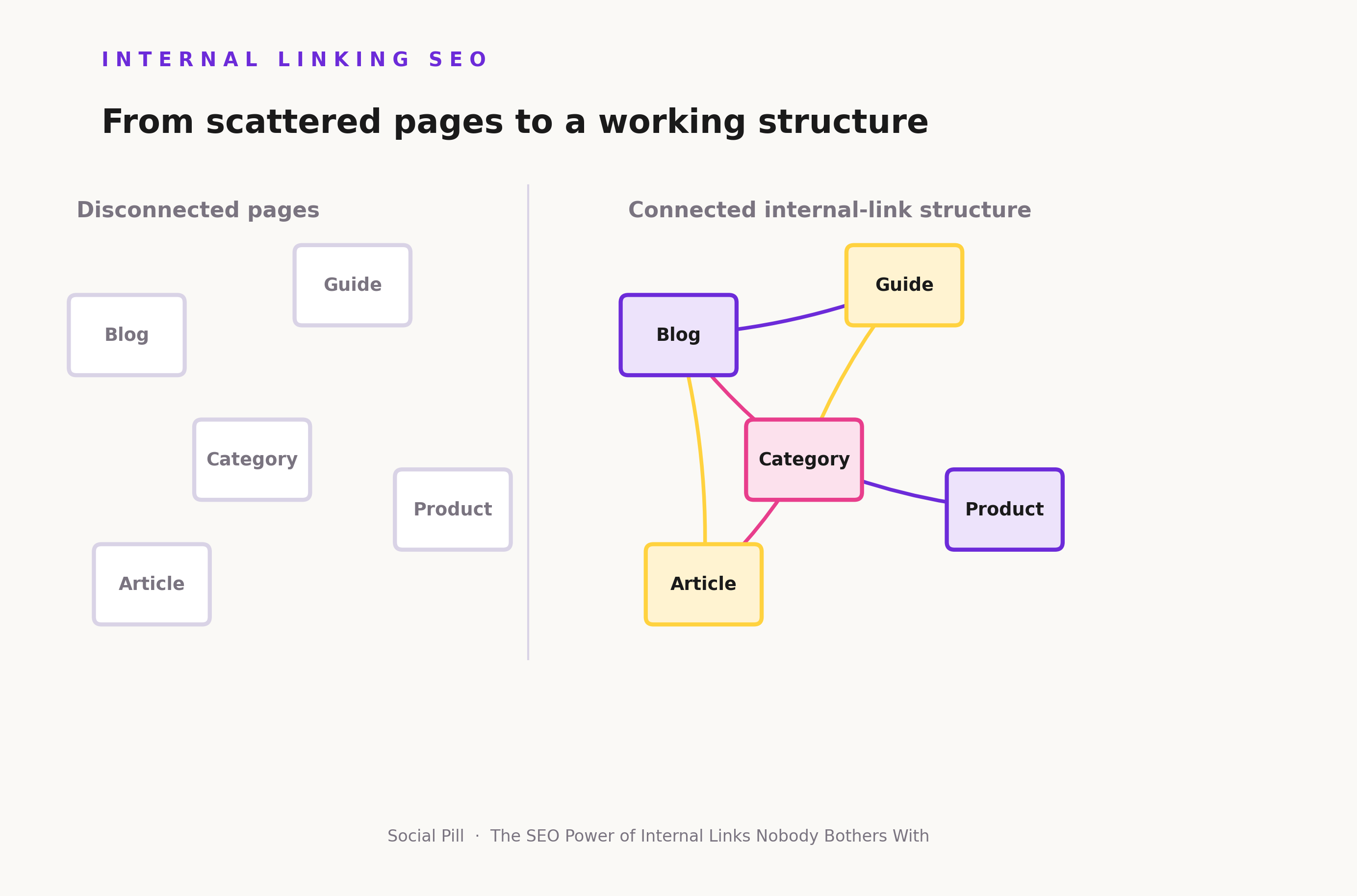
What Is Internal Linking in SEO?
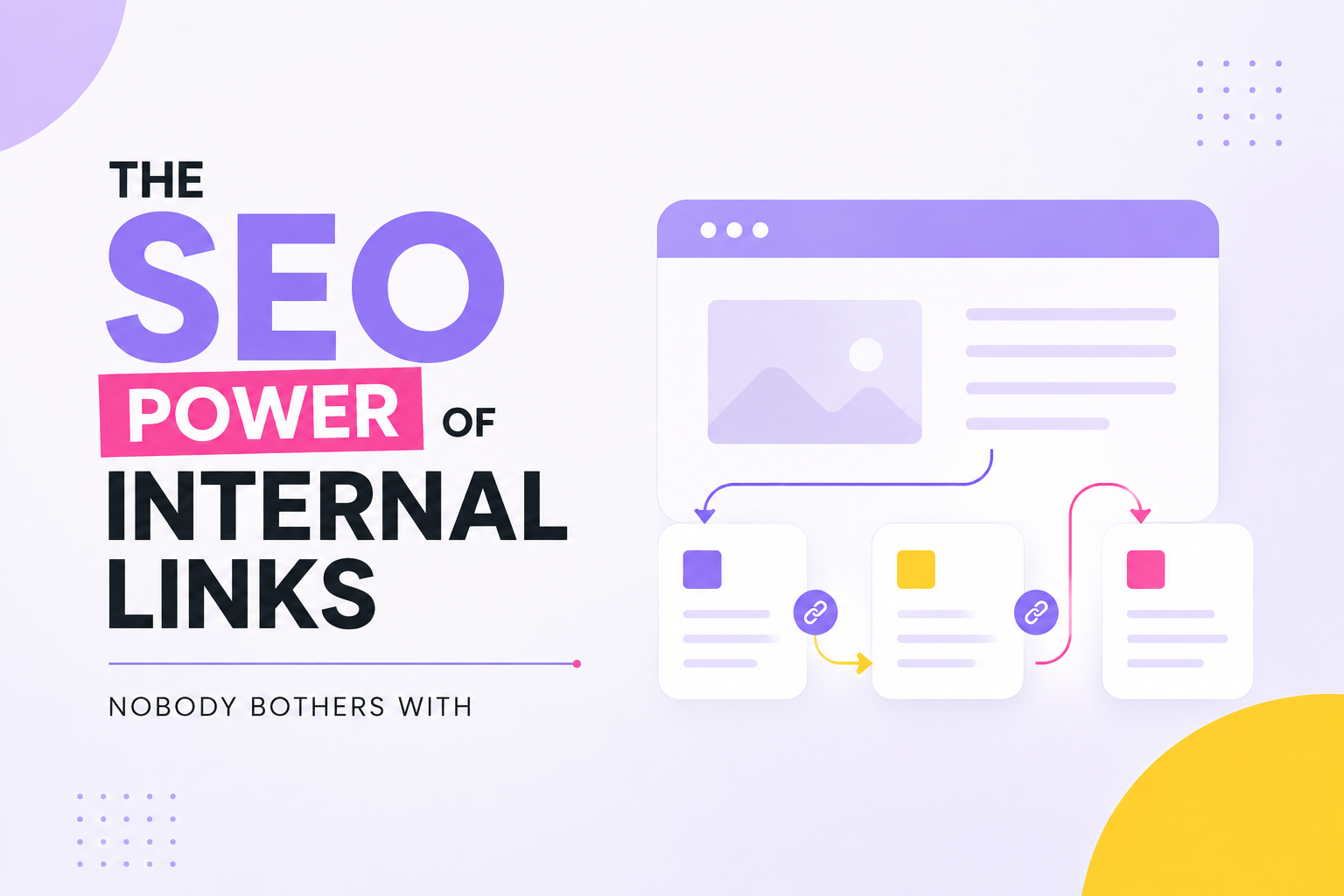
An internal link connects one page on your website to another page on the same website. That’s it. No external authority is involved, no other domain is required.
This is different from an external link, which points from your site to someone else’s, and different again from a backlink, which is a link from another website pointing back to yours. Internal links are the only one of the three you fully control, end to end.
Contextual links vs. navigational links
Navigational links live in menus, footers, and breadcrumbs. Header menu → Skincare → Sunscreen is a navigational link. It exists to help people move around the site in a predictable, repeatable way.
Contextual links live inside the content itself. “Read our guide to choosing the right sunscreen for oily skin,” placed inside a blog post about summer skincare, is a contextual link. Contextual links can carry more topical context because they appear alongside relevant surrounding text. That doesn’t make them automatically superior. A site with strong navigation and weak contextual linking still has real gaps, and a site with only contextual links and poor navigation creates a confusing experience. Both need attention.
Why Internal Linking Matters More Than Most Brands Think
They help search engines discover pages
Search engines find pages by following links, starting from your homepage and moving outward. Homepage → Category → Guide → Product page is a typical path. If an important product page only exists deep in your site architecture with almost no internal links pointing to it, it becomes harder to find and slower to get crawled with any regularity. A page that matters commercially shouldn’t depend on luck to get noticed.
They help Google understand relationships between pages
When related pages link to each other, search engines get more signals about how your content fits together. “Best running shoes” linking to “How to choose running shoes,” which in turn links to “Running shoes for flat feet,” builds a recognisable topic map. Without those links, three genuinely related pages can look like three unrelated pages to a crawler, even if a human reader would instantly see the connection.
They help distribute internal authority
A page that already earns strong organic traffic can link to a newer, relevant page. This doesn’t magically transfer rankings from one page to the other. But it can create a stronger internal path and give the destination page more internal signals than it would get sitting alone.
Think of it as directing attention, not transferring magic. A high-performing blog on protein basics linking to a newly published guide on “protein for women” gives that guide a route into the site’s existing traffic, instead of waiting for it to be discovered independently.
They can improve the user journey
A user lands on a blog titled “How to choose a protein powder.” The page links naturally to whey vs. plant protein, protein for beginners, the relevant product category, and a related buying guide.
The reader gets the next answer without returning to Google. That’s a small thing on a single page. Across hundreds of pages, it changes how much of your own site a visitor actually experiences before they leave or convert.
The Internal Linking Strategy Most Websites Are Missing
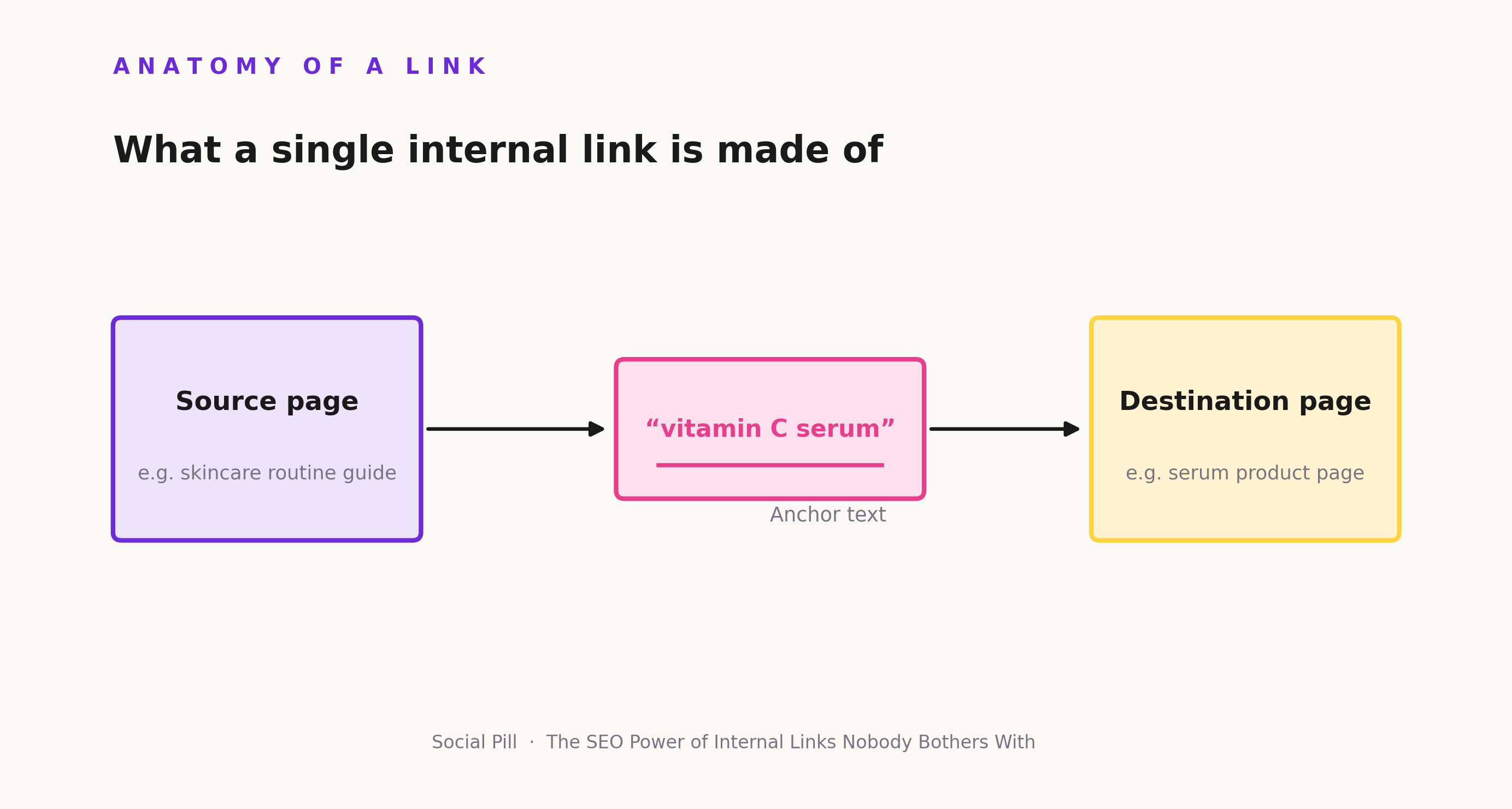
Some pages on your site naturally attract more organic traffic, more backlinks, or more topical authority than others. These are your crawl points — the pages best positioned to act as entry points into the rest of your website. The instinct is often to route everything through the standard hierarchy: High-performing page → Category → Subcategory → Article → Important page. That path works, but it’s long, and every extra step is a chance for a visitor, or a crawler, to lose momentum.
Where the relationship is genuinely relevant, a shorter path is worth building: High-performing page → Important page, directly. This isn’t a licence to link indiscriminately. A high-traffic blog about Diwali gifting shouldn’t suddenly link to an unrelated warranty policy page just because it gets traffic. The link still needs to make sense to the person reading it.
How to Build an Internal Linking Strategy That Actually Works
Step 1 — Audit your existing internal links
Start by identifying where the structure is weak. Look for pages with very few internal links pointing to them, commercial pages receiving almost no contextual links, broken internal links, pages with an excessive number of outbound links, orphan pages, and pages receiving links only from irrelevant content.
Tools like Google Search Console and crawlers such as Screaming Frog can surface most of this. The tool matters less than actually running the audit regularly.
Step 2 — Find your strongest pages
Look for pages with steady organic traffic, existing backlinks, strong rankings, high commercial value, or strong topical relevance to areas you want to grow. These pages already have the audience and the authority. They’re your best source pages.
A skincare brand’s evergreen “how to build a skincare routine” guide, for instance, likely already draws consistent organic traffic. That makes it a natural anchor point for linking outward to more specific, newer content.
Step 3 — Find pages that need support
The goal isn’t to add links everywhere. It’s to find pages that are valuable but underperforming, recently published, commercially important, buried deep in the site, poorly connected, or fully orphaned.
A D2C nutrition brand might have a highly detailed “protein for women” guide getting almost no organic traffic. Meanwhile, several older, high-performing nutrition articles discuss protein but never link to it. That mismatch is a clear internal-linking opportunity sitting in plain sight.
Step 4 — Connect pages based on relevance
Relevance comes before volume. A vitamin C serum guide should link to the vitamin C category page and a pigmentation article, not to an unrelated hair-care post just because both exist on the same domain.
The same logic applies across categories: fashion, nutrition, FMCG, home and lifestyle. If the connection wouldn’t make sense to a reader following it, it doesn’t belong.
Step 5 — Use descriptive anchor text
Anchor text is the clickable phrase carrying the link. “Click here” tells a reader and a search engine nothing about the destination. “How to choose a vitamin C serum” tells both exactly what to expect.
That said, anchors don’t need to be exact-match keywords every time. Natural variations like “picking the right vitamin C concentration” and “our vitamin C buying guide” often read better and still communicate the topic clearly.
Step 6 — Revisit internal links whenever you publish new content
Treat this as a two-way process. When a new article goes live, link it out to relevant existing pages, and go back to relevant older pages to add links pointing to the new one.
A beauty brand publishing a new guide on niacinamide should link that guide to its existing vitamin C content, and then update its older “building a skincare routine” post to reference the new niacinamide guide where it fits. Skipping the second half of this process is how good content quietly becomes an orphan page within a year.
Internal Linking Best Practices That Scale
Link for relevance, not volume. A page with fifteen carefully chosen links usually serves readers better than one with forty links added out of habit. Use descriptive anchor text consistently, but avoid repeating the same exact-match phrase across dozens of pages; it reads as manipulative to both users and search engines, and it flattens what should be varied, natural language.
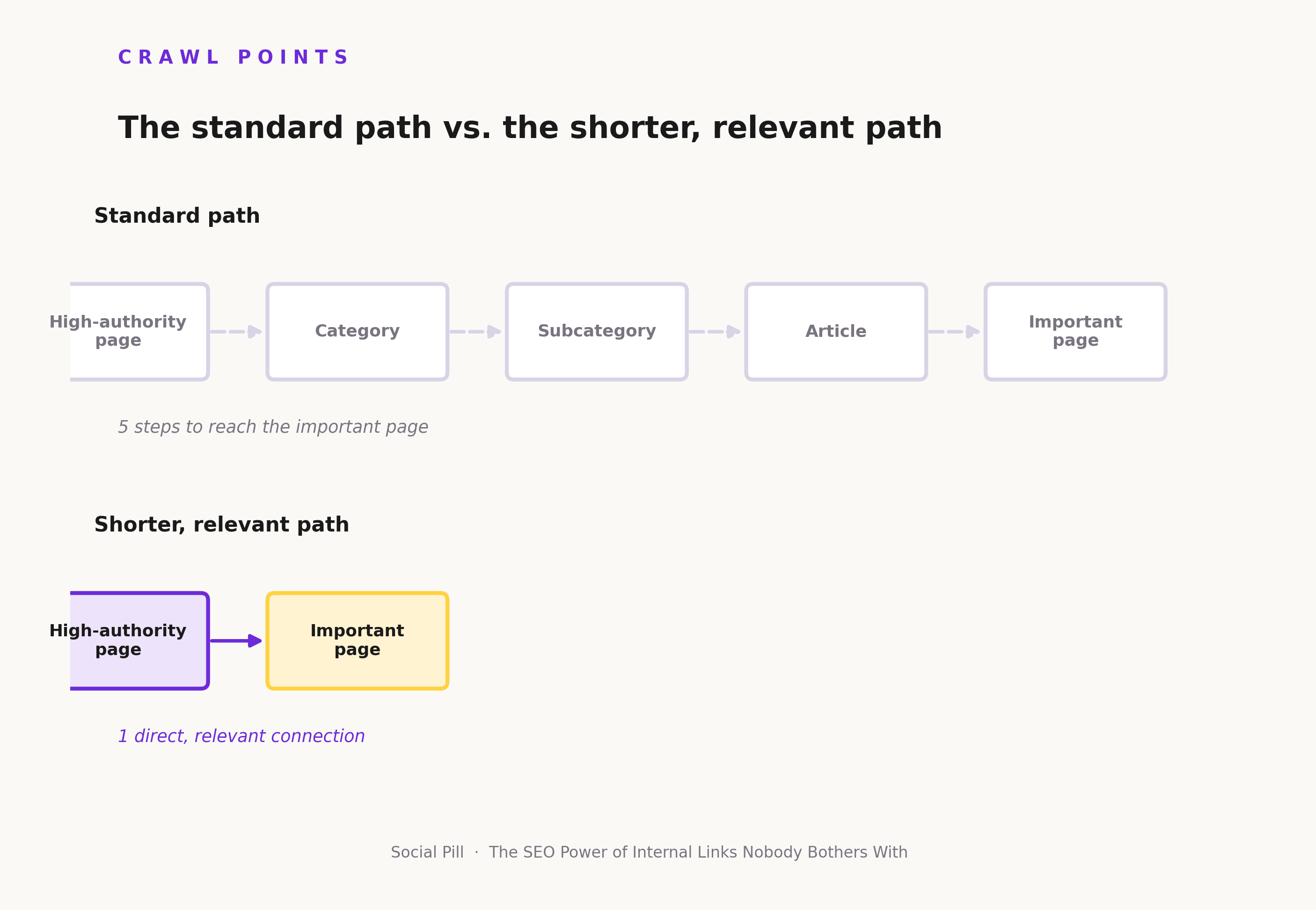
Prioritise important pages. If your vitamin C serum product page drives real revenue, it should be reachable within a few clicks from your highest-traffic content, not buried four categories deep. Fix orphan pages as you find them, and audit broken links on a schedule rather than waiting for someone to notice a 404. Connect content clusters deliberately; a central pillar page surrounded by supporting articles is far easier to maintain than isolated posts scattered across the site.
Link commercial pages from genuinely relevant informational content. A guide on “how to choose a protein powder” linking to the protein category page is useful. The same guide linking to an unrelated skincare product page is not, no matter how much that product page needs traffic.
The Mistakes That Quietly Weaken Your Internal Link Structure
Publishing content without connecting it
A new blog goes live, gets shared once on social media, and then sits with zero internal links pointing to it. Traffic never really builds because nothing on the site is directing readers there.
Linking only to the homepage
Every article linking back to the homepage creates a flat, shallow-looking site structure. It tells search engines almost nothing about how your content relates internally.
Using “click here” everywhere
Anchor text like this wastes an opportunity to signal relevance. It also makes a page harder to scan for a reader deciding whether a link is worth clicking.
Forcing exact-match keywords
Stuffing “internal linking SEO” as the anchor text on every single mention feels unnatural to readers and can look manipulative to search engines. Natural language variation reads better and still does the job.
Linking unrelated pages
A skincare article linking to an unrelated laptop buying guide, because both happen to be on the same domain, adds noise rather than value. It signals to search engines and readers alike that the link wasn’t made with intent.
Ignoring orphan pages
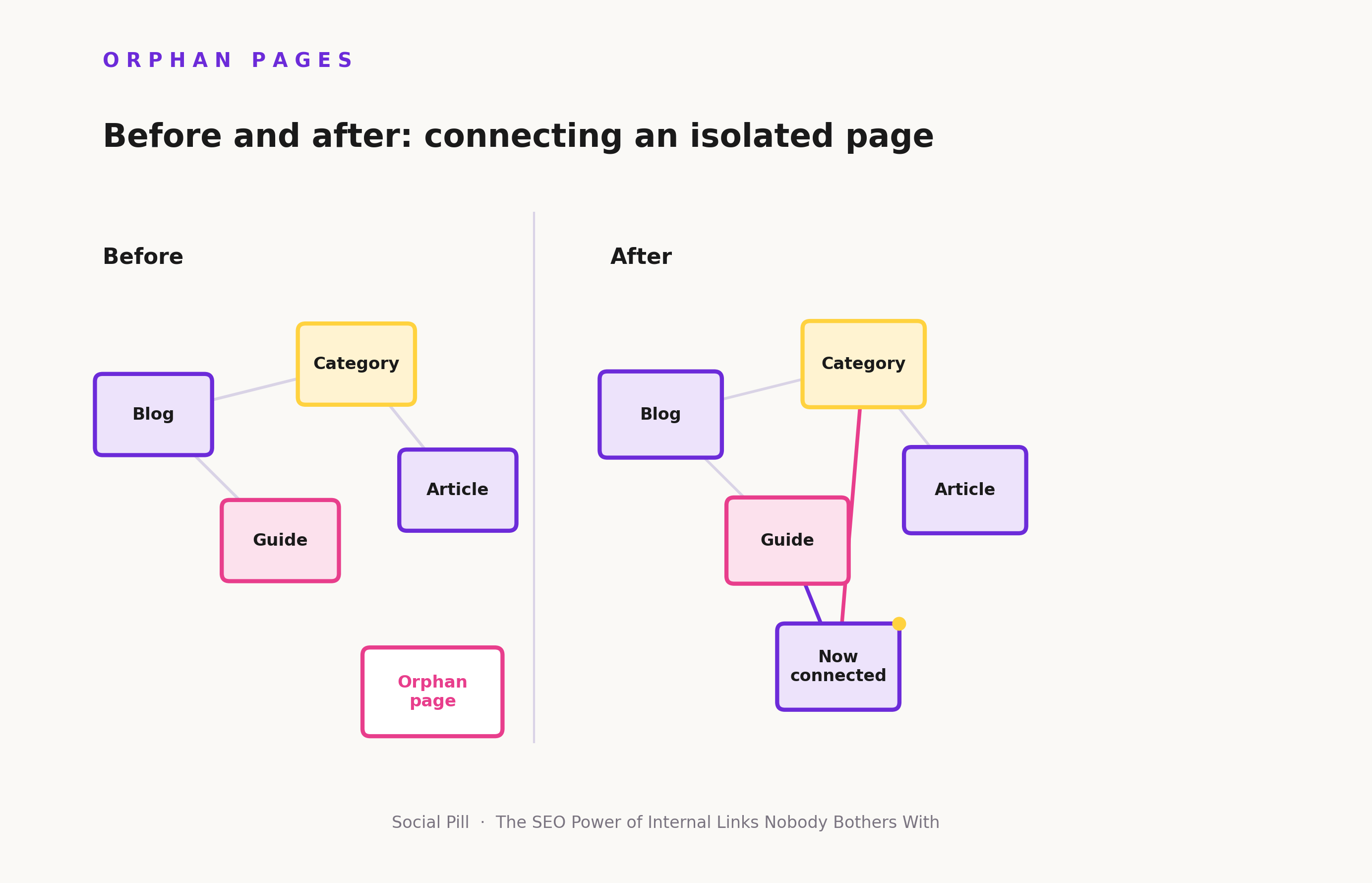
An orphan page is one with no internal links pointing to it. It might still be indexed, but it’s difficult to find through normal site navigation, and it receives none of the internal signals that well-connected pages get. Commercially important orphan pages are a common, and often invisible, source of lost traffic.
Adding links without maintaining them
Links break when pages get deleted, URLs change, or redirects aren’t set up properly. A site that adds new internal links every month but never checks the old ones will accumulate broken paths that quietly erode the structure over time.
Internal Linking vs. Other SEO Investments
Internal linking works best as part of a broader SEO system, not as a replacement for content, backlinks, technical SEO, or paid acquisition. Each does something different, and none of them substitutes for the others.
If a company spends ₹2 lakh producing 20 new blog articles but never connects them to existing commercial pages, the underlying problem usually isn’t a lack of content. It’s how that content is structured and connected once it’s published.
| SEO activity | What it mainly does | Control level | Typical limitation | Example |
|---|---|---|---|---|
| Internal linking | Connects existing pages and clarifies relationships | High | Needs ongoing maintenance | Blog → category/product page |
| Content creation | Expands topical coverage | High | New content takes time to gain traction | New guide on sunscreen |
| Backlinks | Builds external authority | Medium/Low | Depends on other websites | Industry publication links to guide |
| Technical SEO | Improves crawlability and site performance | High/Medium | Fixing infrastructure alone may not improve relevance | Resolving crawl issues |
| Paid acquisition | Generates immediate traffic | High | Stops when spend stops | Google Ads to product page |
How Internal Links Improve SEO for D2C Brands
For a fashion D2C brand, informational content like “how to style ethnic wear for weddings” can link to a category page for wedding-season kurtas, which then links to individual product pages. For a beauty brand, “how to build a skincare routine” can lead to “best moisturisers for oily skin,” then to the moisturiser category, then to specific products.
FMCG brands moving into direct-to-consumer face a related but distinct challenge. Their content often lives in silos built for marketplace listings on Amazon or Flipkart, with little thought given to how a standalone website should connect informational and commercial pages.
The goal isn’t to force a sales link into every article. It’s to make the next step the logical one, the same way a helpful salesperson in a physical store would point you toward the right shelf, not just any shelf.
Internal Links and Google Rankings: What They Can and Cannot Do
Internal links are not a direct ranking factor in the way page speed or content quality can be. What they do is influence the systems around rankings discovery, crawling, indexing, page relationships, internal authority distribution, site architecture, and user navigation.
There’s a meaningful difference between “internal links directly guarantee rankings” and “a well-connected site gives search engines stronger signals about its pages and structure.” The first is false. The second is closer to how internal linking actually functions. A nutrition brand won’t outrank a competitor purely by adding more internal links to a page. But a genuinely useful page that’s well-connected, well-written, and easy to find has a better chance of being crawled, understood, and considered relevant than the same page sitting isolated with no internal support.
The Advantages and Disadvantages of Internal Linking
Advantages. Internal linking sits entirely within your control, unlike backlinks, which depend on other websites choosing to link to you. It’s relatively low-cost to implement since it works with content you’ve already produced. It supports content discovery, connects topical clusters, and can help important commercial pages get more visibility from relevant informational content. Changes can be made quickly; updating an old article to link to a new one takes minutes, not weeks. It’s also useful during algorithm changes, because it strengthens the site’s overall structure rather than depending on any single page performing well in isolation.
Disadvantages. Internal linking needs ongoing maintenance; a link structure built once and never revisited degrades as pages get added, removed, or redirected. Large sites with thousands of SKUs and articles can become genuinely difficult to audit manually, which is why crawling tools matter at scale. Poor linking creates noise: too many links on one page can overwhelm both readers and crawlers, while irrelevant links weaken topical clarity rather than strengthening it. Recommendations still depend on having strong underlying content; internal linking can’t rescue a thin or poorly written page. It also can’t replace backlinks when external authority is genuinely needed; the two solve different problems. Algorithm changes can shift how much weight any single tactic carries. And poorly implemented internal linking can create a false sense of SEO progress; adding hundreds of low-relevance links looks like activity, but it doesn’t move the needle the way a smaller number of well-placed, relevant links does.
A Simple Internal Linking Workflow Your Marketing Team Can Use
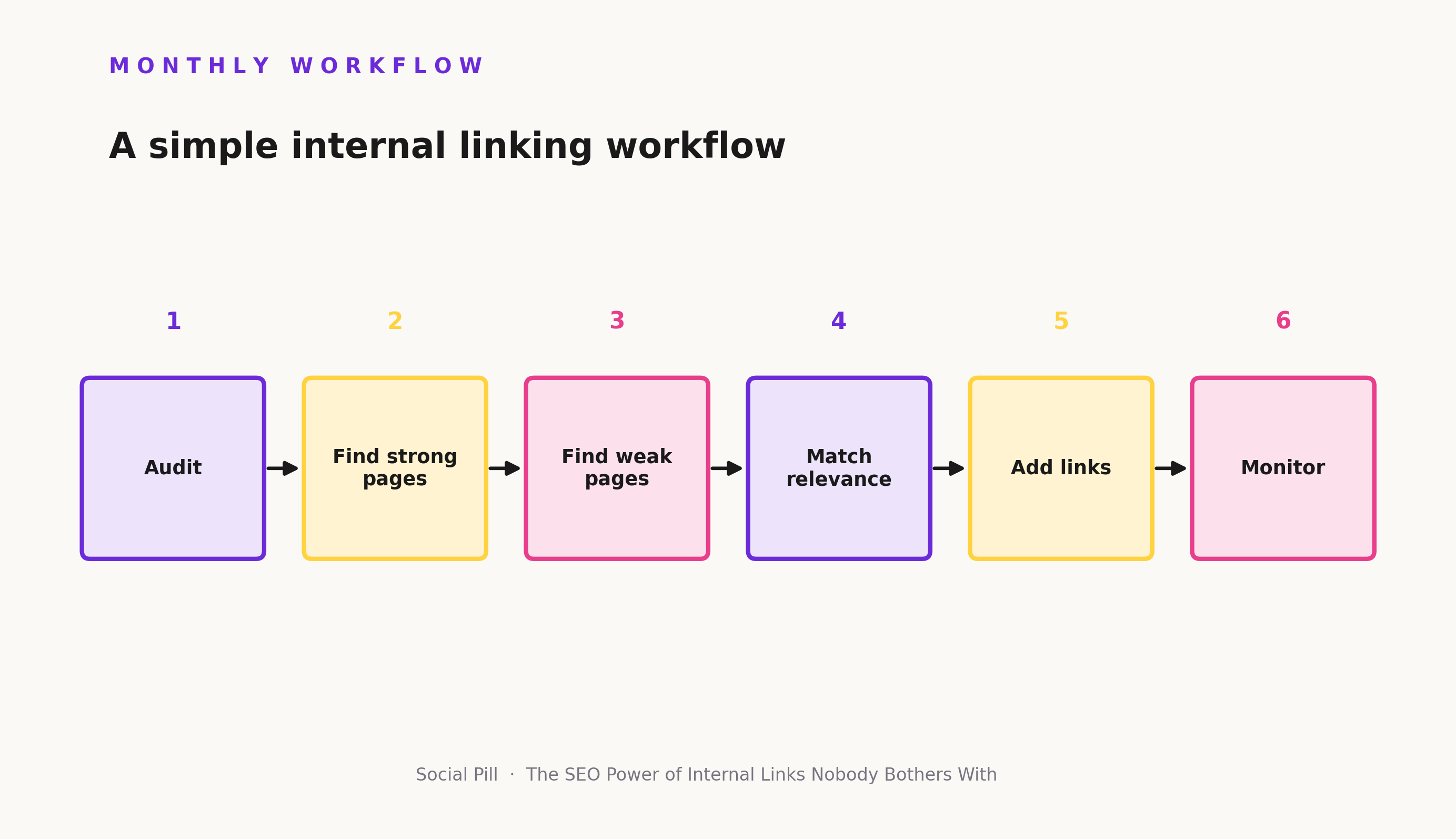
Every month:
- Find pages gaining organic traffic.
- Find valuable pages with weak internal links.
- Identify relevant connections between the two.
- Add contextual links where they genuinely help the reader.
- Check for orphan pages.
- Review and fix broken internal links.
- Check whether important commercial pages are supported by relevant content.
- Track changes over time.
This doesn’t need to be an elaborate technical process. A spreadsheet, a crawler tool, and thirty focused minutes a month will catch most of what matters.
Final Takeaway
Before creating another 20 articles, look at the 100 pages you already have. Which pages matter most? Which are disconnected from the rest of the site? Which already attract traffic but lead nowhere? Which commercial pages need more contextual support from content that already exists? Which topics should be grouped into clusters instead of standing alone?
SEO growth isn’t always about creating more pages. Sometimes it’s about making the pages you already have work together. If your website has more content than it has structure, that’s usually where to look first before the next content calendar gets built.
FAQs
- What is internal linking in SEO?
Internal linking is the practice of connecting pages on your own website through hyperlinks, helping both users and search engines navigate and understand your content. - How many internal links should a page have?
There’s no fixed number it depends on the page’s length, purpose, and how many genuinely relevant destinations exist. Quality and relevance matter more than hitting a target count. - Do internal links improve SEO?
Internal links aren’t a direct ranking factor, but they strengthen discovery, crawling, indexing, and how search engines understand relationships between your pages. - What is a good internal linking strategy?
A good strategy connects high-performing pages to pages that need support, using relevant, descriptive anchor text rather than linking indiscriminately. - What is the difference between internal and external links?
Internal links point to another page on your own site, while external links point to a different website; a backlink is an external link pointing back to your site from someone else’s. - What are orphan pages and why do they matter?
Orphan pages have no internal links pointing to them, making them hard to discover through normal site navigation and cutting them off from internal authority signals.