Most founders treat the website platform as a design decision. Pick a theme, drop in the logo, launch. It doesn’t feel like a business decision until eighteen months later, when a “quick change” needs a developer, a sprint, and a two-week wait. Take a Mumbai-based D2C skincare brand. At launch, speed and cost mattered most, so they picked a fast, template-driven platform and had a subscription landing page live in three weeks. It worked; they hit their first thousand orders quickly. A year and a half later, they wanted a loyalty programme, personalised product recommendations, and a content engine to cut their dependence on paid ads. The platform that got them to launch couldn’t support any of it without a rebuild.
That’s the trap. The platform that’s perfect at launch can quietly become the ceiling that limits growth two years later. If you’re researching how to choose a website platform, you’ve probably already found the three broad paths: WordPress, custom development, or a no-code builder. Each is a different trade-off between speed, cost, flexibility, and control and none of them is universally right.
The best website platform for a business isn’t the one with the most features. It’s the one that fits what your business needs to do today, without creating constraints you’ll pay to undo tomorrow. Which website platform is best for your business was never an abstract question it depends on your stage, budget, and growth plan. This isn’t a feature comparison. It’s a framework built around the questions a CMO or founder needs answered before signing off on a platform.
What Does a Website Platform Actually Determine?
A platform decision isn’t really about how the site looks. It decides how your business operates online for years afterwards.
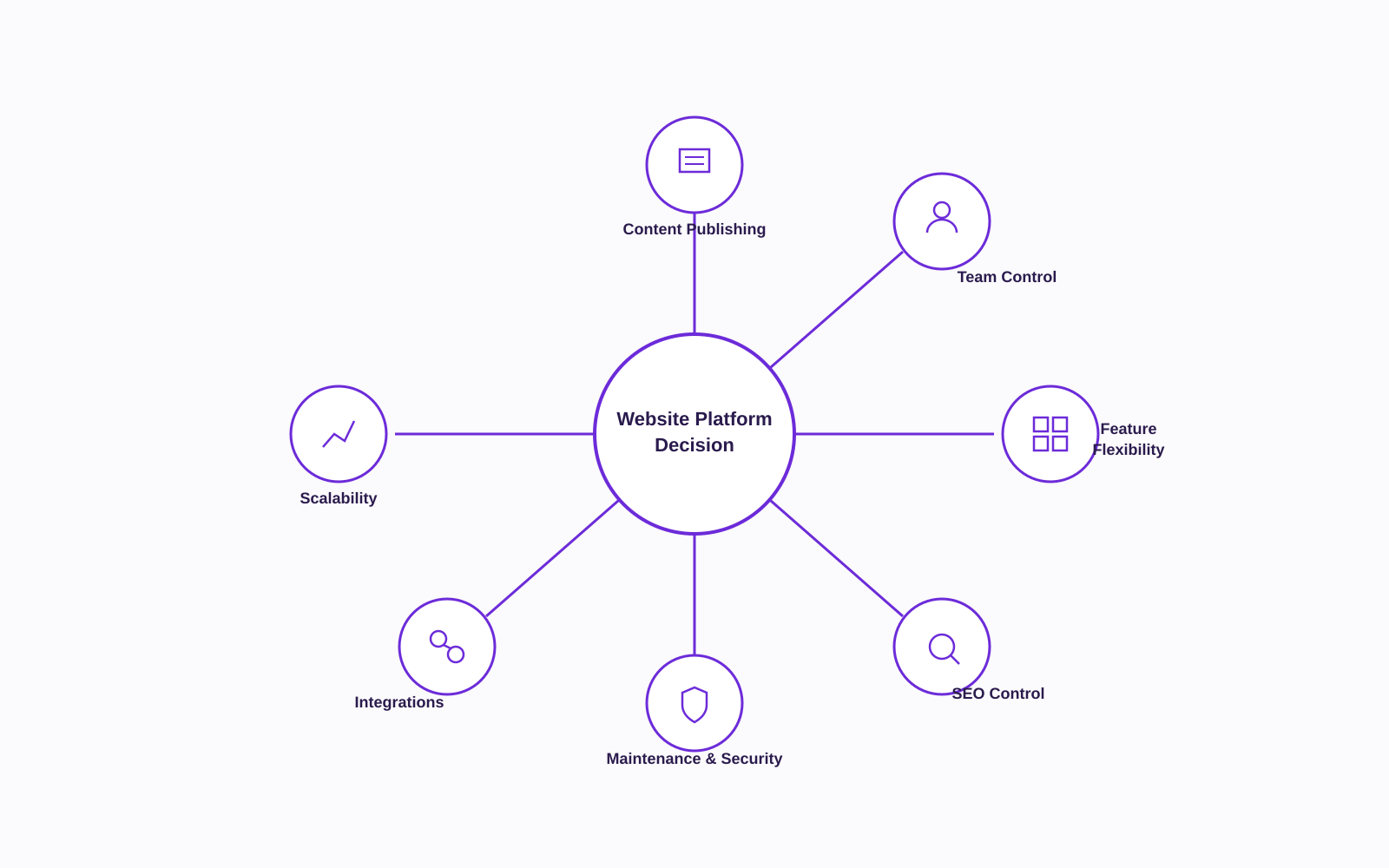
Specifically, a website platform for your business determines:
- How content gets published and updated, and by whom
- Who can make a change to a landing page, a price, a headline without waiting on a developer
- How easily new features (subscriptions, referral programmes, custom checkout flows) can be added
- How much control you have over technical SEO and site structure
- Who is responsible for maintenance, updates, and security
- How integrations with CRM, ERP, WhatsApp, and payment gateways actually get built
- How the site holds up as traffic, product range, and campaign volume grow
Here’s the distinction in practice. A small D2C brand with one hero product might only need product pages, a blog, a landing page template, and a lead form. A brand selling across categories, running subscriptions and a referral programme, and syncing inventory across warehouses needs advanced filtering, several integrations, and a far more flexible content structure.
Website design is what your site looks like. Platform is what it can become. Confusing the two is where most bad decisions start.
The 7 Questions to Ask Before Choosing a Website Platform
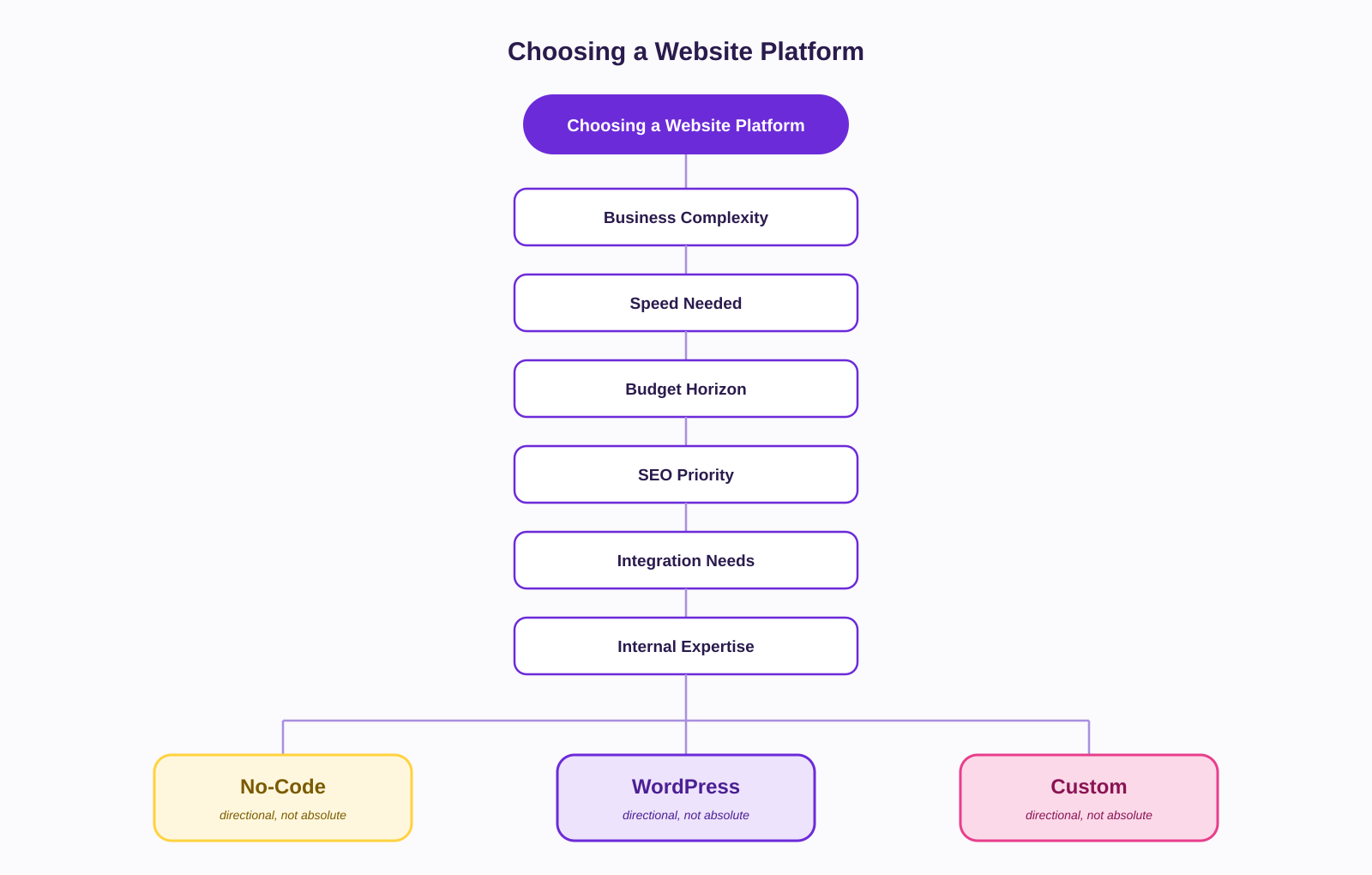
Before you compare platforms feature by feature, answer these seven questions. They will narrow your decision more than any comparison chart.
1. How Complex Does Your Website Need to Be?
Not every business website is solving the same problem. Roughly:
- Brochure/informational sites — a handful of pages, low update frequency. Most platforms handle this comfortably.
- Lead-generation sites — landing pages, forms, CRM handoff. Needs decent publishing flexibility and integration support.
- Content-heavy sites — blogs, guides, category pages published weekly. Needs a strong CMS and real SEO control.
- D2C/e-commerce sites — product catalogues, subscriptions, checkout, inventory sync, COD and RTO handling.
- Complex web applications — configurators, marketplaces, multi-warehouse logistics, custom workflows.
A skincare brand selling twelve SKUs with a simple checkout has very different needs from an FMCG brand piloting D2C with subscriptions, a referral engine, and retailer-side integrations. Match the platform to the job you have now, without ignoring the one you might grow into.
2. How Quickly Do You Need to Launch?
A business needing a site in weeks, one with several months for development, and one building a website as part of a larger digital transformation are making three different decisions.
Speed shouldn’t automatically win. A brand that rushes onto a closed platform to hit a festive-season deadline may later find it can’t support a promised loyalty programme. That brand pays for the speed twice once now, once during the rebuild.
3. How Much Control Will Your Team Need?
Think about content changes, new landing pages, SEO edits, and publishing day to day, not at launch.
Picture a marketing team that wants to launch a Diwali campaign landing page next week. On a well-set-up WordPress or no-code site, they build and publish it in an afternoon. On a custom site with no real CMS layer, they wait on a developer sprint — and the campaign moment passes before the page does.
4. What Is Your Realistic Budget?
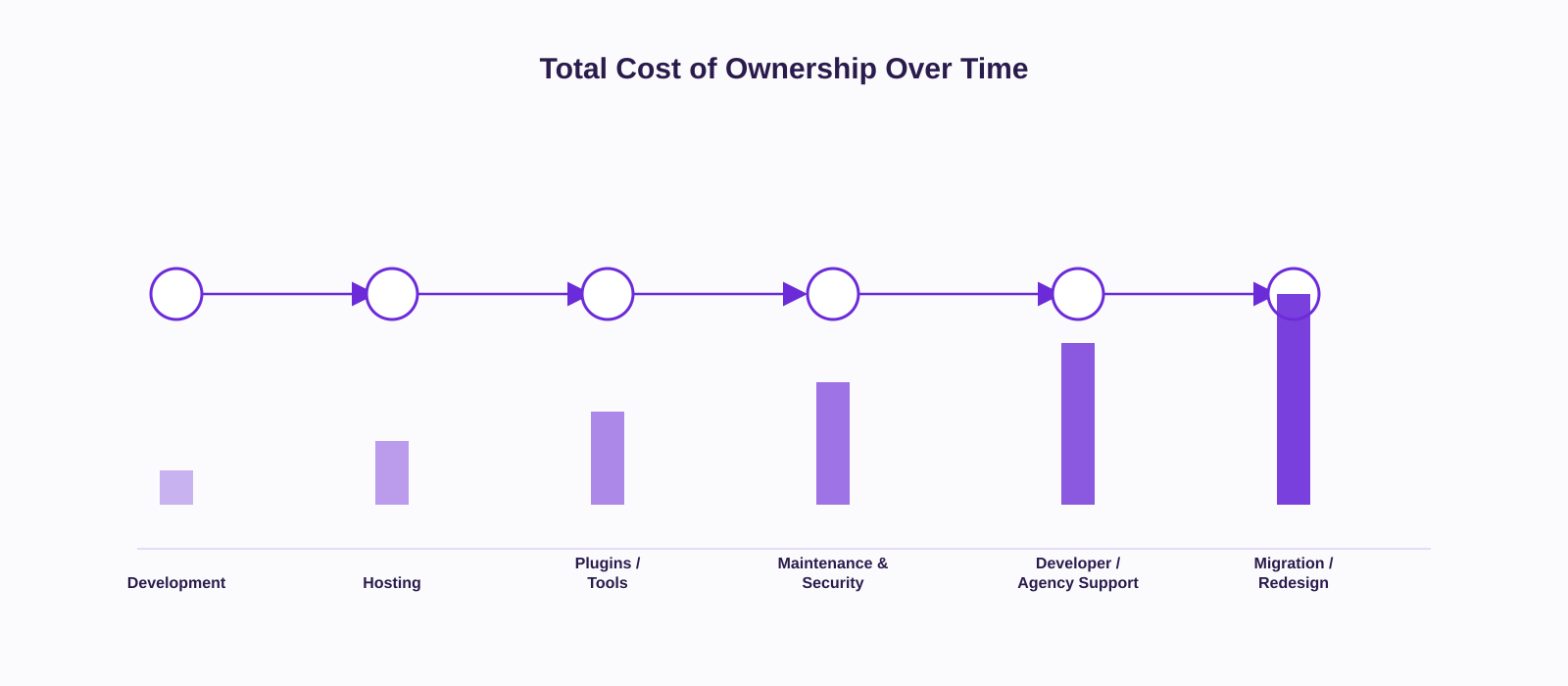
This is where most platform decisions go wrong: businesses budget for launch, not for ownership.
Initial development cost is one number. Total cost of ownership is a different, usually larger, one hosting, plugins or apps, ongoing maintenance, security, developer or agency retainers, redesigns, future integrations, and eventual migration all sit inside it. A no-code build might look cheapest at signup. But layering on paid apps for reviews, subscriptions, and loyalty over time can quietly push the monthly cost past what an equivalent WordPress build would have cost to maintain. The cheapest way to launch is not always the cheapest way to run a website for three years.
5. How Important Is SEO to Your Growth Strategy?
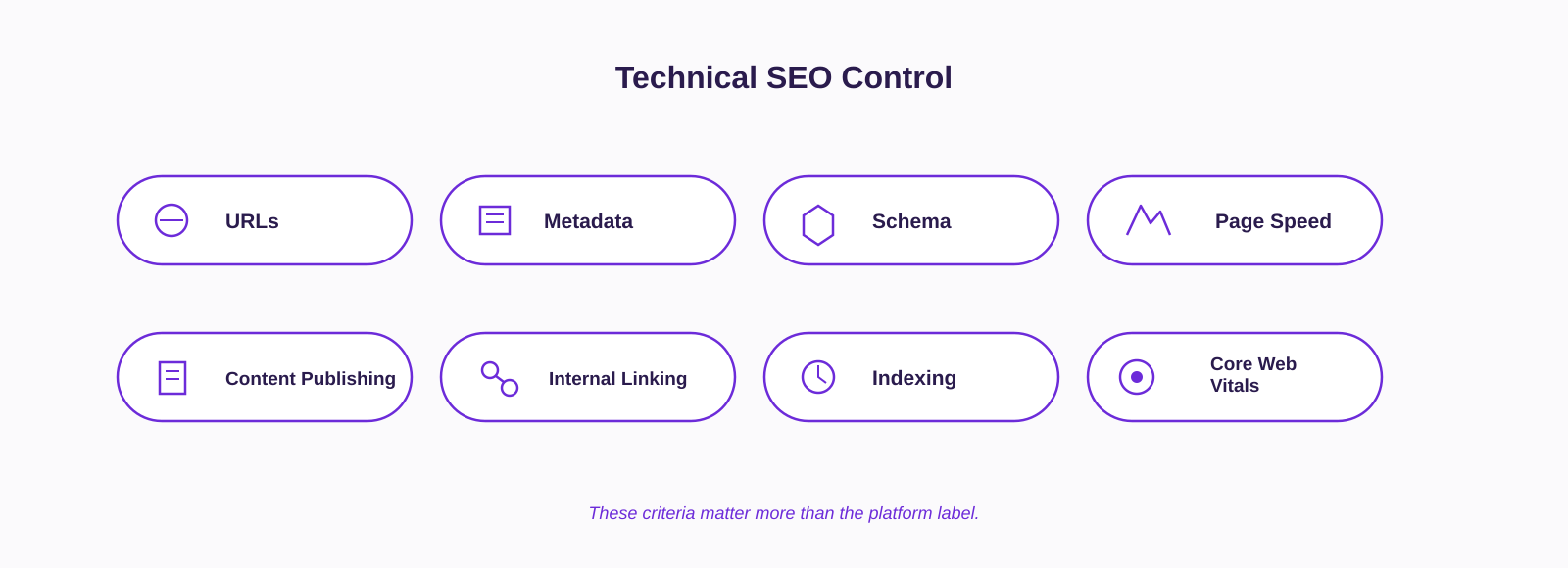
If organic search is part of how you plan to reduce dependence on paid acquisition, SEO control matters. It’s worth being specific about what “control” means: metadata, URL structure, redirects, schema, page speed, publishing cadence, internal linking, and indexing.
No platform automatically “wins” at SEO. Implementation quality matters more than the platform label a poorly built WordPress site can be slower and worse structured than a well-built no-code site, and vice versa. A D2C brand planning to publish fifty-plus SEO content pages a year needs full control over URL structures, canonical tags, and internal linking. That’s very achievable on WordPress with the right setup, achievable with more constraints on several no-code platforms, and fully controllable at a cost on a custom build.
6. What Integrations Will You Need?
List them honestly: CRM, analytics, marketing automation, payment gateways (Razorpay, PayU), inventory or ERP systems, WhatsApp Business API, email marketing, customer data platforms.
An FMCG brand piloting D2C alongside its retail business often needs its website to sync inventory with a distributor’s ERP. That single requirement alone can rule out platforms with closed or limited APIs, regardless of how good everything else about them looks.
7. Who Will Maintain the Website?
Compare who’s actually available: an internal marketing team, in-house developers, an agency, freelancers, or a technical team. A lean three-person marketing team without a developer on staff will struggle with a custom-built site that needs engineering time for every landing page unless there’s a retainer in place to cover it.
Match the platform’s maintenance demands to the team you actually have, not the team you plan to hire someday.
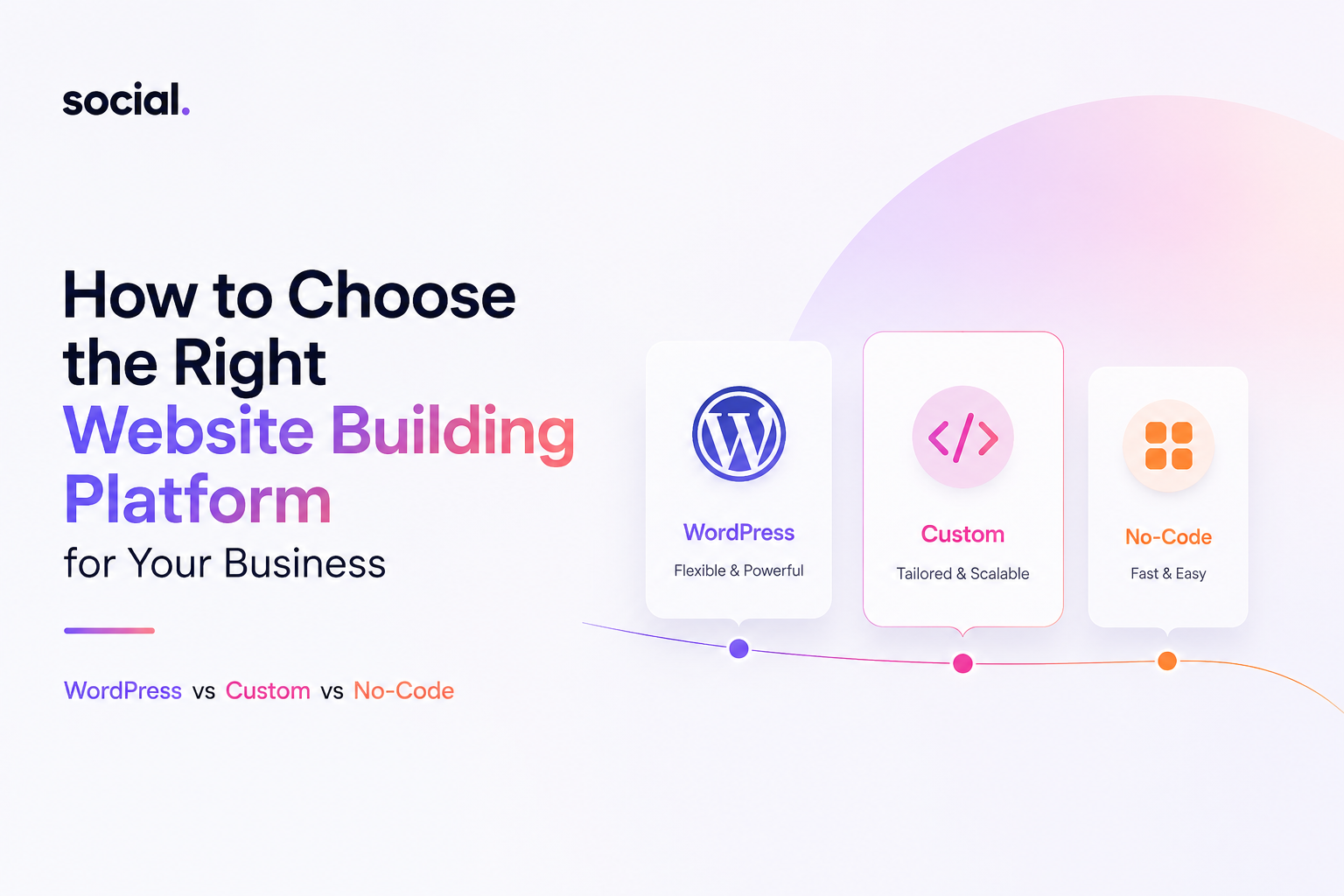
WordPress vs Custom Website vs No-Code
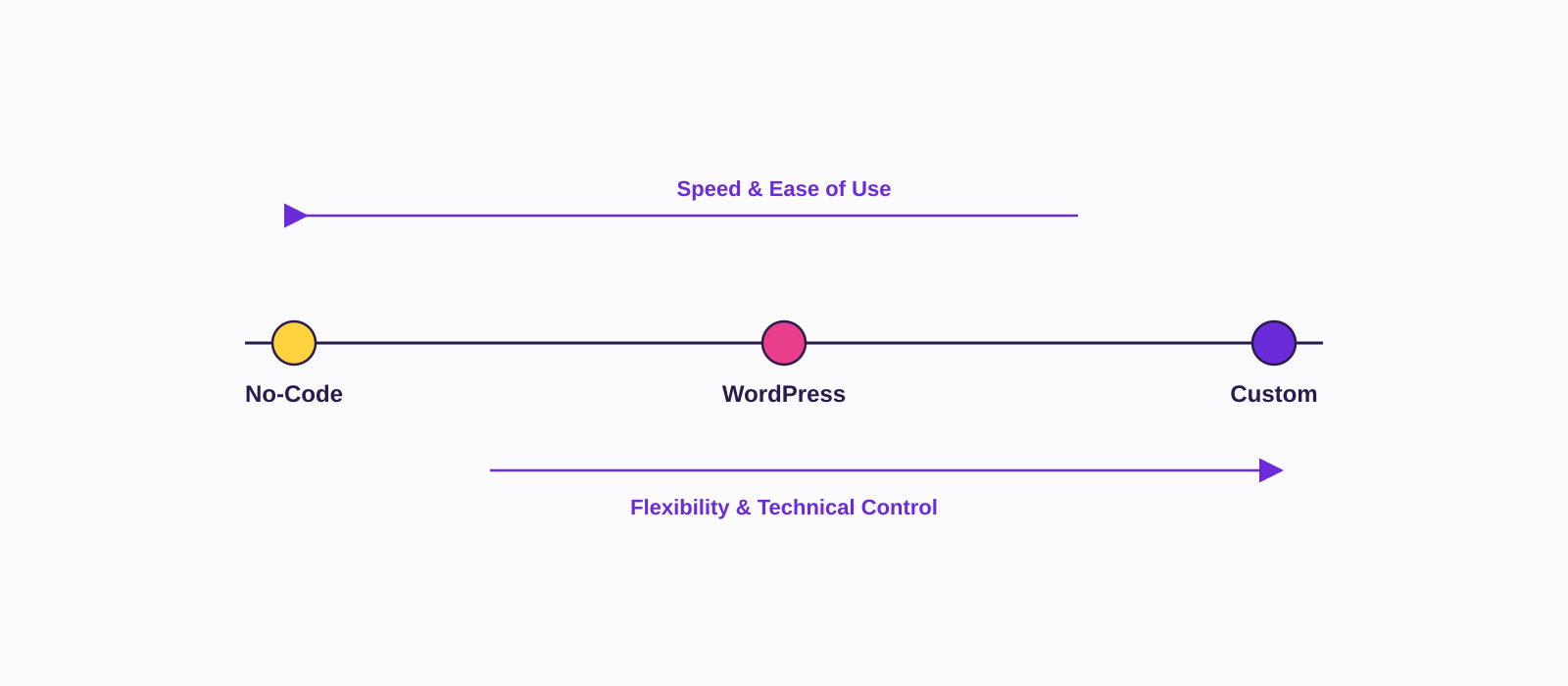
Each represents a different balance of speed, control, cost, and complexity. None is “better” in the abstract each rests on different assumptions about who does the work and how much the business wants to own. The WordPress vs no-code question, specifically, usually comes down to one thing: how much infrastructure your team is willing to own in exchange for control.
WordPress
WordPress is open-source content management software. You (or your host) run it, and it’s extended through themes, page builders, and a plugin ecosystem that covers almost anything a business site needs: SEO (Yoast, Rank Math), e-commerce (WooCommerce), forms, automation. WordPress alone powers roughly four in ten websites globally, according to W3Techs, the default CMS for a large share of the internet.
Advantages: strong content management for teams that publish often, a large plugin and theme ecosystem, real SEO flexibility when set up properly, and customisation without full custom development. In India specifically, a large and accessible pool of WordPress developers and agencies also keeps switching costs and support costs manageable.
Disadvantages: you inherit plugin dependency, and updates can break compatibility if the stack isn’t maintained carefully. Security and maintenance responsibility sits with you or your host. Performance problems are common but they’re almost always a symptom of poor implementation (bloated themes, too many plugins), not a limit of WordPress itself. Advanced, non-standard functionality still needs a developer.
A D2C nutrition brand publishing weekly content and running a WooCommerce catalogue of forty products is well served by WordPress. A brand that needs millisecond-accurate, multi-warehouse inventory sync may find its plugin-based architecture limiting past a certain scale. WordPress fits content-led, moderately complex businesses it isn’t automatically right for every business, and it isn’t automatically wrong for large ones either.
Custom Website
“Custom” means bespoke front-end and back-end development, built without a pre-existing template or CMS framework doing the heavy lifting. It gives you complete control over functionality, integrations, and performance, built specifically around how your business actually operates.
Advantages: maximum flexibility, functionality tailored exactly to your workflows, deep control over performance and architecture, and integrations that don’t have to bend to fit someone else’s plugin.
Disadvantages: higher upfront cost, longer development timelines, and real dependency on the team or agency that built it. Ongoing maintenance needs specialised skill, and future changes even small ones can be slower and more expensive than a plugin-based equivalent.
A retail brand building a customisable gift-hamper configurator, tied to live inventory and a loyalty engine, may genuinely need functionality no template can support. But a business that only needs a marketing website with a blog and a contact form is often paying custom-development rates for complexity it doesn’t need. Custom development earns its cost when the business logic is unique not by default.
No-Code Website Platforms
No-code platforms think Shopify for commerce, Webflow, Wix Studio, Duda let you build visually, with templates and hosting bundled into one subscription. You trade some control for speed and simplicity.
Advantages: fast to launch, easy for non-technical teams to use, low technical dependency day to day, quick content and design changes, and a good fit for small teams validating an idea.
Disadvantages: you’re building on the platform’s infrastructure, so migrating out later design, data, sometimes even content structure can be genuinely difficult. Complex or non-standard functionality hits a ceiling fast. Technical SEO settings and infrastructure control are more limited than on an open platform. Costs can climb quietly: a base subscription plus paid apps plus, on some platforms, transaction fees.
A founder validating a new product category can launch a Shopify store, connect Razorpay or PayU, and start taking orders within days genuinely the right call when speed to market matters more than long-term architecture. But once that brand needs a workflow the app marketplace doesn’t cover, it hits a wall the platform wasn’t built to move.
How to Choose a Website Platform for Your Business
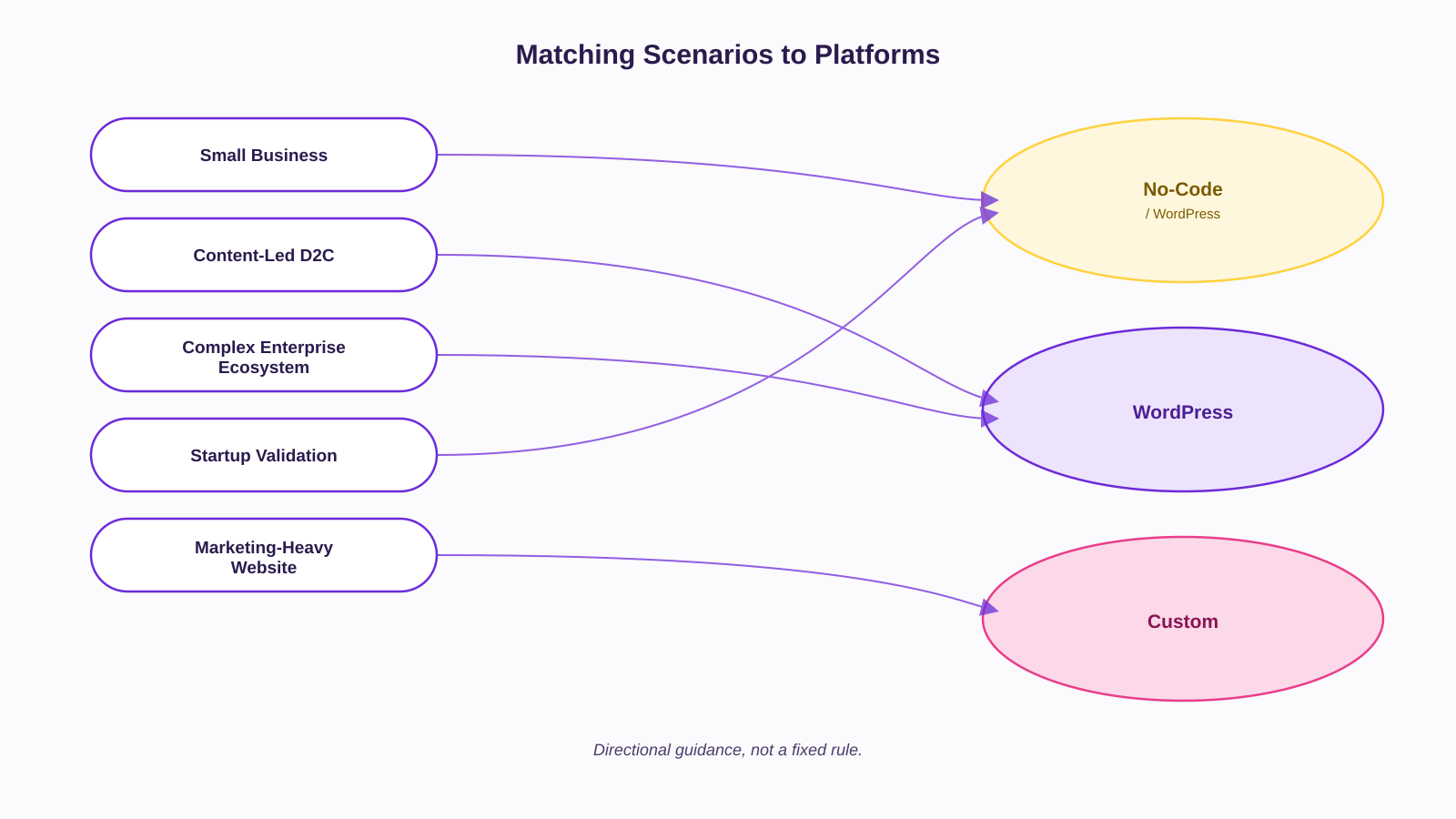
Instead of a generic rule, here’s how this plays out in five common business situations.
Scenario 1 — Small business that needs a simple website. A boutique service business or a single-product D2C brand launching its first site usually doesn’t need deep customisation yet. For anyone asking what the best website platform for small business actually is, the honest answer is simple: whichever one your team can run without outside help for routine changes. That’s often a no-code builder or a lightly customised WordPress theme.
Scenario 2 — Growing D2C brand focused on SEO and content. A skincare or wellness brand investing in content to bring down paid acquisition costs needs a platform built for regular publishing and technical SEO control. WordPress is usually the strongest fit here, often paired with WooCommerce or a Shopify-plus-content hybrid.
Scenario 3 — Enterprise or large brand with complex integrations. An FMCG major entering D2C at scale ERP sync, multiple warehouses, a customer data platform, personalisation is usually better served by custom development, or a headless setup, because off-the-shelf plugins struggle with this much interconnected, business-specific logic.
Scenario 4 — Startup validating an idea quickly. A founder testing a new category before committing capital needs to learn fast, not build for scale that may never come. A no-code build, or a lean WordPress-plus-WooCommerce setup, gets orders flowing within days without over-investing in infrastructure the idea might not need.
Scenario 5 — Marketing team that wants to manage the site internally. A lean team without a developer on payroll needs CMS usability more than raw technical power. Both WordPress (set up properly) and no-code platforms can work here; a custom site without a real CMS layer will create constant developer dependency regardless of how good the design is.
Website Platform Comparison: What Are You Really Trading Off?
Here’s the trade-off laid out directly — not as a ranking, but as a way to see what you’re giving up with each option.
| Factor | WordPress | Custom Website | No-Code |
|---|---|---|---|
| Initial cost | Low to moderate | High | Low |
| Launch speed | Moderate to fast | Slow | Fastest |
| Flexibility | High, via plugins and code | Highest, fully bespoke | Limited to the platform’s framework |
| SEO control | High, with correct setup | Highest, fully customisable | Moderate, varies by platform |
| Maintenance | Ongoing — updates, plugins, security | Ongoing — needs a dev team or retainer | Mostly handled by the platform |
| Scalability | Good, with the right architecture | Highest, built to scale on purpose | Can plateau at complex use cases |
| Technical expertise required | Low to moderate | High | Low |
| Integrations | Wide plugin and API ecosystem | Fully custom, any system | Limited to app marketplace/APIs |
| Best suited for | Content-led, moderately complex businesses | Complex, high-integration operations | Fast launches, simple to moderate needs |
There’s no winner across every row. A platform that scores well on flexibility will usually cost more and demand more technical ownership; a platform that scores well on speed will usually cost you control later. The right choice depends entirely on which trade-offs matter most for where your business is right now.
The Hidden Costs of Choosing the Wrong Platform
Every platform decision looks fine on launch day. The costs that matter show up later, and they rarely show up on the original quote.
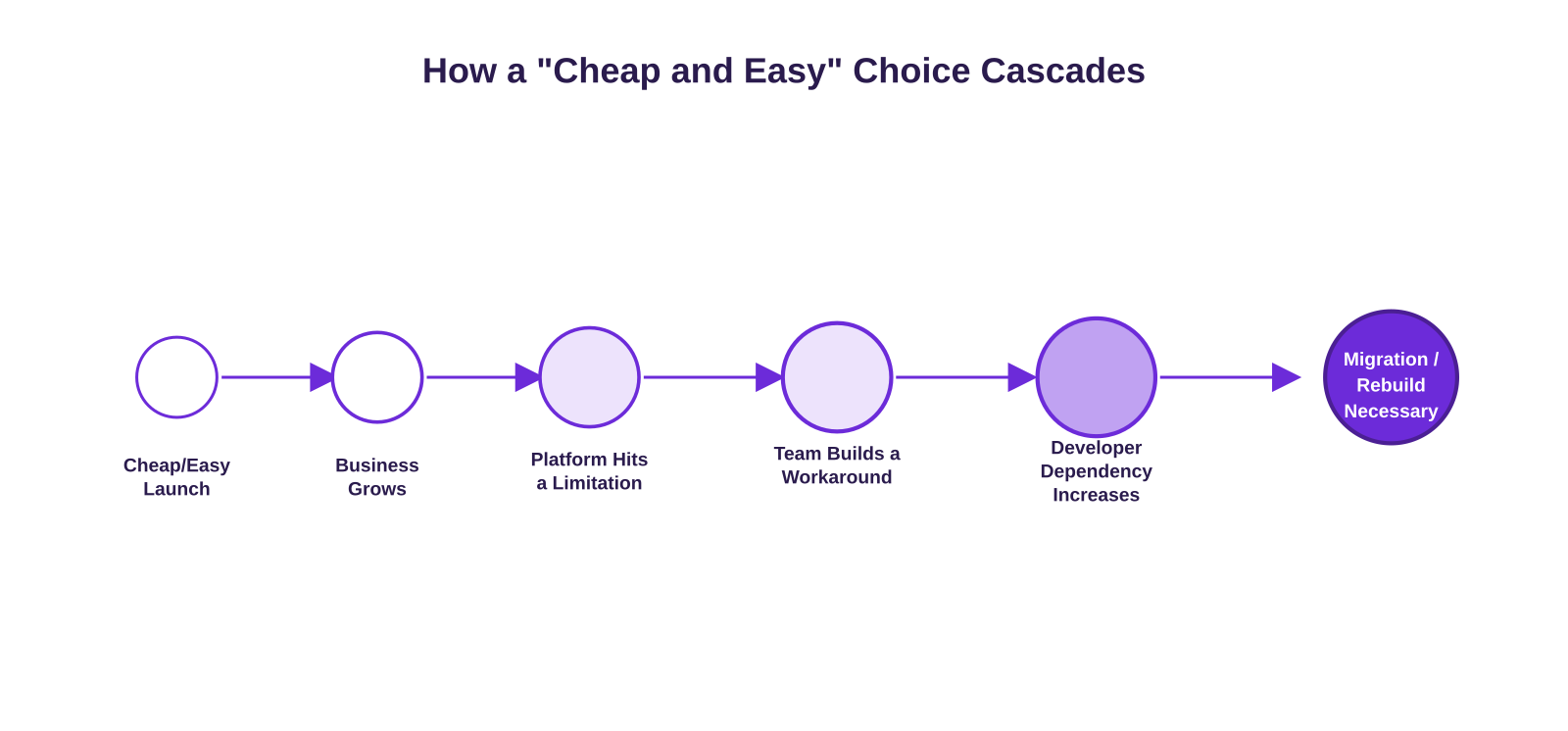
Migration costs. Outgrow your platform and you’re not just moving a website you’re moving pages, content, URLs, and every integration built around them. This is rarely a quick job.
Developer dependency. A marketing team that needs a developer for a simple headline change isn’t dealing with a technology problem. It’s dealing with a platform-fit problem, and it compounds every week the team waits on a queue.
SEO disruption. A poorly managed migration can break URL structures, redirects, and metadata and organic visibility built up over years can drop fast if it isn’t handled carefully.
Integration limitations. A platform that worked fine at launch can become genuinely restrictive once you add a CRM, an ERP, or marketing automation it wasn’t built to talk to.
Maintenance burden. A setup that looked inexpensive on day one can become expensive once updates, security patches, and compatibility fixes need constant attention just to keep the site stable.
Redesign and rebuild costs. Choosing a platform without considering the business’s next stage often means rebuilding sooner than planned not because the first build was bad, but because it was never meant to carry this much weight.
None of this means over-engineering for a future that may not arrive it means being honest about which of these risks your business can actually absorb.
When Should You Choose WordPress, Custom or No-Code?
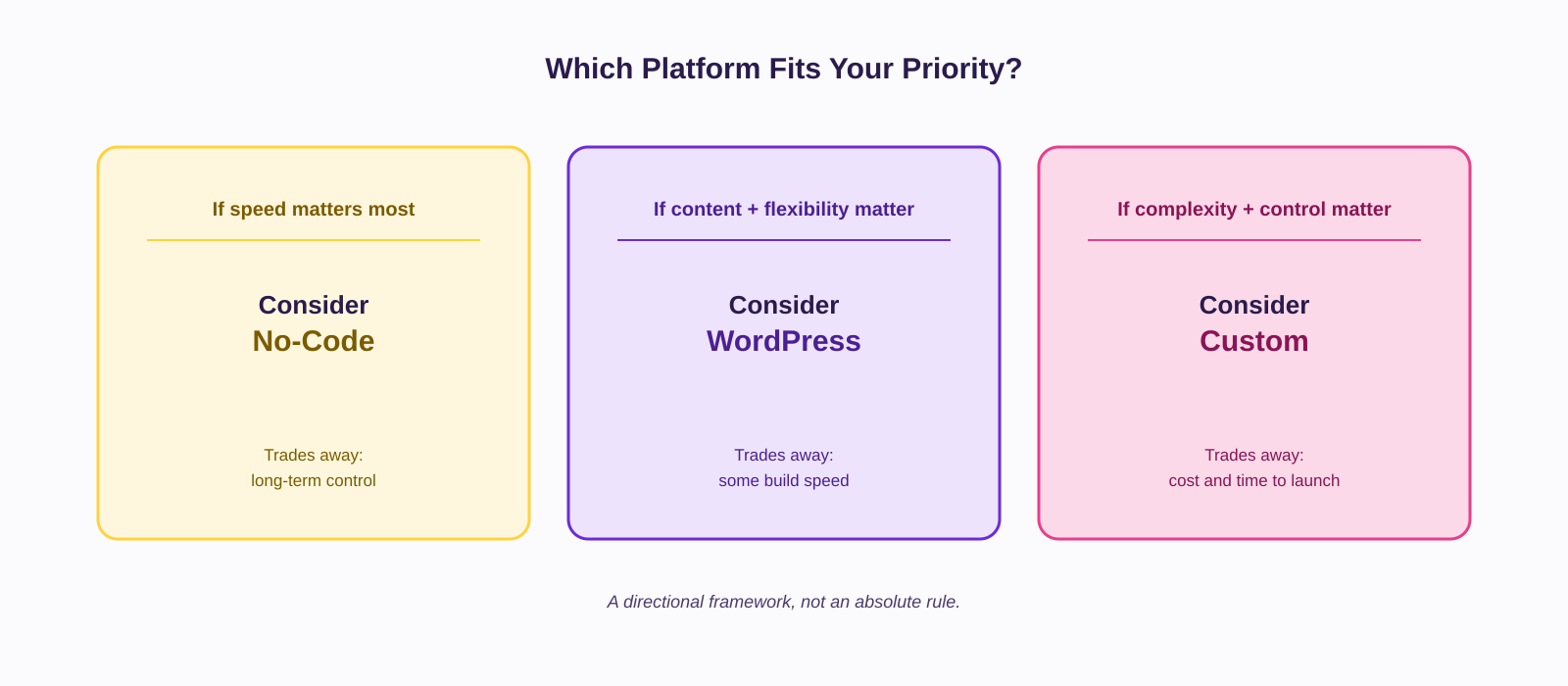
Choose WordPress when your growth strategy depends on content and SEO, and your complexity is moderate rather than extreme. You want real technical SEO control without paying for full custom development, and you have or can access WordPress developer talent, which is broadly available across Indian agencies and freelance markets.
Choose custom development when your workflows are genuinely unique and your integration needs are heavy and business-specific. Performance and scale are non-negotiable, and you have the budget and timeline to match typically a large brand, an enterprise D2C operation, or a business built around a complex internal system.
Choose no-code when speed matters more than anything else right now, and you’re validating an idea rather than committing to a final architecture. Your team has no developer on hand, your requirements are simple to moderate, and you’re comfortable trading some platform dependency for that speed. This is, at its core, the custom website vs no-code decision most growing brands eventually face: control and ownership on one side, speed and simplicity on the other with WordPress often sitting as the practical middle path.
The Right Website Platform Should Support Your Growth Not Just Your Launch
Choosing a website platform is a business decision wearing a technical costume. It decides how fast your team can move, how much you depend on outside help, and what it costs to change your mind later. A website shouldn’t only look good on launch day. It should support marketing, SEO, content, conversion, analytics, integrations, and the operational reality of running the business not just today’s version, but the one you’re building toward.
This is the conversation we have with founders and CMOs at Social Pill before we touch a single wireframe: what does this website need to be responsible for in eighteen months, not just at launch. Getting how to choose a website platform right, early, is what saves a business from rebuilding twice. Choose the platform based on the business you’re building not just the website you need today.
FAQ’s
- Which website platform is best for a small business?
A no-code builder or lightly customised WordPress site usually works best for small businesses that need easy day-to-day management. - Is WordPress better than a no-code website builder?
WordPress offers more control and SEO flexibility, while no-code builders are faster to launch and easier to maintain. - Is a custom website worth the cost?
A custom website is worth it when your business needs unique functionality, integrations, or workflows that standard platforms can’t handle. - Which website platform is best for SEO?
No platform guarantees better SEO, but WordPress typically offers the most flexibility for technical and content-driven SEO. - What is the easiest website platform to manage without a developer?
No-code platforms and properly configured WordPress sites are both easy to manage without ongoing developer support.