If you are a marketer in charge of SEO for a growing brand, you have probably once opened an SEO report and stared at the numbers in confusion. The SEO tools that create these reports are either a blessing or a curse. One of the best ways to differentiate between the two is to know which is the best SEO tool to prioritize presentation and information over analysis.
At Social Pill, a digital marketing agency in Mumbai, we compiled this guide in April 2020, and it has been a joy to update it for the current year. Throughout the past year, we have serviced over multiple brands’ SEO needs and saw several tools come and go. We have updated the guide with our improved understanding of each tool and its features.
A quick note on “free.” Not every tool here is free in the same way. Some, like Google Search Console and Google Analytics 4, cost nothing. Others, like Screaming Frog and Seobility, have a free version with limits on pages or features. A few offer only a small free allowance before you need a paid plan.
How We Chose These SEO Tools
We only kept the best seo tools that passed all of these three criteria. They were used in real client work as an SEO agency in Mumbai. The free version does something useful, not just a teaser. The data is simple enough that a non-specialist can read. We also categorized the tools by task, because that is how you will use them. First you find out what people are searching for, then you look for issues in your site, and finally you track if any of it is working.
Free SEO Tools for Keyword Research
Keyword research tools are vital in figuring out what your customers are searching for on Google. If you get this step wrong, everything else will be wrong.
1. Ubersuggest
Ubersuggest gets its data from Google Suggest and makes it much easier to use. When we first reviewed it, everything was free. Free access is more limited today, so check what your account allows before you build a process around it.
All you have to do is type in any keyword, and you’ll get an estimate of its search volume, difficulty level (organic and paid), and the cost per click if you decide to run a Google Ads campaign. You’ll also find related keywords with their search volume and difficulty and the best-performing articles for that keyword.
Our take: A fantastic tool to have on hand if you know what topic you want to write about but have no idea what keywords to use. Treat the difficulty score as a rough guide, not a verdict.
2. Answer The Public
Most keyword research tools give you a list of keywords and their statistics. Answer The Public takes a different approach by organizing search queries into questions, comparisons, and related searches.
We used this tool heavily while coming up with this article. If you search for “best free SEO tools,” you’ll see all the questions people ask about those tools. You can use this as a goldmine for your FAQ section. The same goes for topics and subtopics for your blog posts. The only limitation with the free plan is that you can only do a few searches each day.
Our take: Our favorite tool for finding topics for content marketing. The questions you find here will help you build your content calendars.
3. Google Keyword Planner
This tool, which is part of Google Ads, allows keyword research, which is essential for SEO, without spending a penny on advertising. Because the numbers come straight from Google, it is one of the most trusted free SEO tools for judging demand. Type in a topic, or paste your own or a competitor’s website address, and it suggests related keywords along with their average monthly searches, how crowded the competition is, and the bid advertisers pay per click. The tool also allows you to specify searches by city and language. However, it is important to understand that to gain access to the tool, you will have to spend time creating a Google Ads account, and without an active campaign, statistics will be available only in ranges.
Our take: A reliable source of information about the number of searches and the degree of commercialization of keywords; it makes sense to use it in conjunction with Ubersuggest to compare data.
Best SEO Tools for Website Audits
Once your site is live, you need to know what is broken. These are the best SEO tools for website health checks, and all of them cost nothing to start.
Woorank
Woorank is a paid tool, but you can get away with using the free version, which already has a pretty decent set of features. Woorank analyzes your domain and offers fixes for all the issues it finds. The on-page audit includes content, indexing, mobile friendliness, mark-up, and security. As for the off-page portion, the free version checks backlinks, referring domains, and traffic distribution. The free version is handy for a quick look at a competitor
Our take: Good for a fast overview. Confirm anything important in Search Console before you act on it.
Seobility
Seobility is another free on-page SEO checker. It allows scanning of 1000 pages per month on the free plan, and the nice thing about it is that it prioritizes the issues in the form of tasks to complete, instead of a list of errors. Other features include checking the meta title and description for every page and a keyword optimization scan.
Our take: Yet another tool that small and medium-sized websites might find useful for ticking off optimization tasks.
Screaming Frog
Not to be outdone by the rest, Screaming Frog is a desktop application that performs an SEO crawl of the website the way Google does. The free version has a limitation of 500 URLs per crawl, which is enough for smaller sites. And this is one of the best free seo tools you can use for website audits (although they have a paid version, also).
Some of the features include:
- Identifying broken links,
- Checking redirects,
- Analyzing page titles and metadata,
- Finding duplicate content,
- Reviewing robots.txt instructions,
- and creating sitemaps.
Our take: Screaming Frog is a must our go-to tool for technical SEO audits. It may not have the most intuitive interface and may take some getting used to, but it remains unrivaled in its segment.
Google PageSpeed Insights
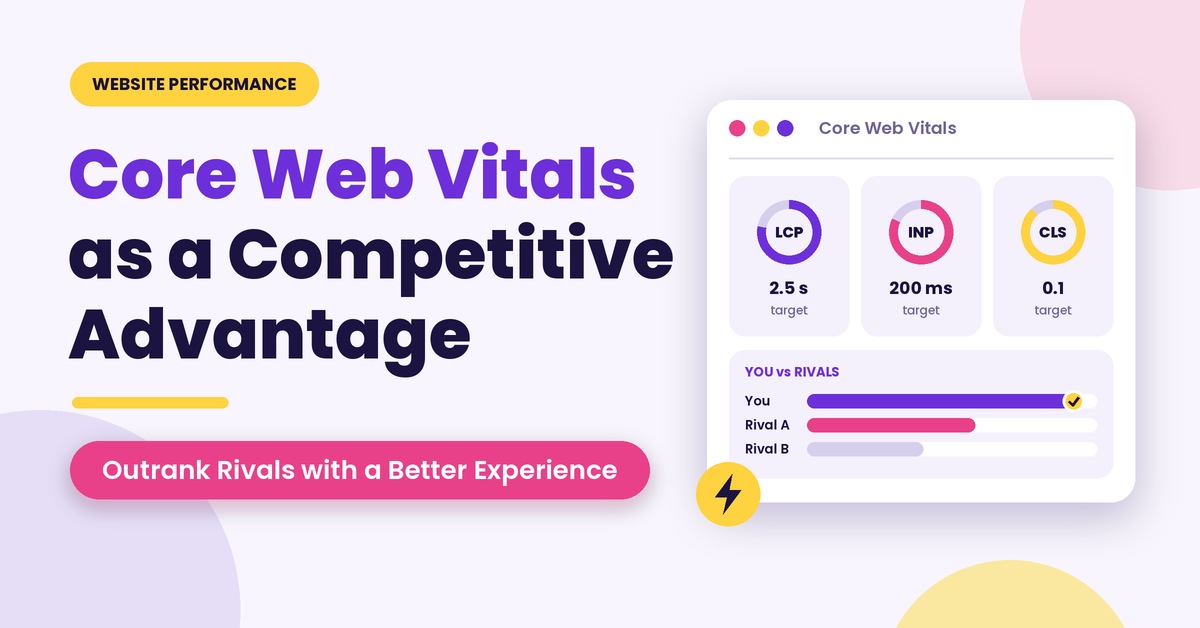
Slow pages lose visitors before they read a word, and Google considers page experience when it comes to ranking results. Google PageSpeed Insights is the free tool that helps you see where you stand, by analyzing any page url you enter in the search bar. It checks the mobile version and desktop version of the page; then it scores both of them out of 100 and gives you a list of recommendations, like optimizing large images and removing large scripts. It also shows you Core Web Vitals, which is Google’s official set of three important metrics of a page experience: when the main content loads on the screen, when the page becomes responsive to touches or clicks, and how much it shifts while loading.
Our Take: test the money pages; pages that are actually making you money, such as service pages, landing pages, and your best blog posts, rather than the homepage. A fast homepage with a slow landing page will still lose you sales.
Free SEO Tools for Tracking Results
Doing the work is half the job. But, these seo tools show whether it is paying off.
Google Search Console
If you have to choose only one best SEO tool for free from the given list, make your choice right now. Search Console is super helpful because it provides you with data about the site performance on Google using Google’s powerful system. All you have to do is add the site, approve the ownership, and submit the sitemap. Both versions (www and non- www) can be added. With time, you can see which keywords you are ranking for and check your impressions and CTR (click-through-rate) and average position for every keyword.
Another benefit of the tool is that you can prioritize the pages with lots of impressions and low CTRs. Usually, those are the pages where you need to improve the title and the description as they are most likely not attracting enough attention. We fix much more traffic issues through this tool than any other.
Our take: Free, precise, and the one that we use all the time.
Google Analytics (GA4)
Search Console is a tool that helps in understanding how users find a website. The Google Analytics 4 (GA4) is an seo tool that provides information on the actions that users take after finding your website. This tool is free and can help in tracking traffic acquired through organic search, the pages that users are interested in, the amount of time they spend on the website, and the actions that they carry out. The tool can help in finding the correlation between SEO and actual business outcomes because GA4 events track specific user actions, including filling forms or calling a business. The Google Analytics 4 should be paired with Search Console to get an accurate description of the traffic source and the activities that users do after getting to the website through organic search. The only disadvantage of using GA4 is that it does not offer the keywords that users type to find a business, and therefore, this information should be collected through Search Console.
Our take: The setup matters more than the tool. If conversions are not tracked properly from day one, your SEO reports will show traffic but never lead.
Questions a CMO Should Ask About SEO Tools
You do not need to learn every tool. You do need to know your team or agency can explain theirs. Ask these four questions:
- Which tools are you using on our account, and what does each one tell you?
- Is this number from Google, or is it an estimate from a third-party tool?
- Which figures in this report connect to leads or sales, not just traffic?
- If a tool shows no improvement after a few months, what will you change?
A good partner answers these in plain language. If the answers are vague, treat that as information.
Conclusion
There are many paid SEO tools that offer a lot for the money. However, you will find a variety of SEO tools in this list that are perfect for any growing business, and we use them on a weekly basis for our clients.
Note that “free” often means “limited,” so some of these tools only allow a certain number of pages scan or searches per day. This should be fine for most individual blogs, but if you are managing multiple sites or need more in-depth competitor research, you will need to invest in a paid plan. First, try out the free tools and only pay for the ones that stop you from doing your job.
If you would rather have specialists handle it, get a free SEO audit from our team, or explore our SEO services in Mumbai.